How to Enable Earthquake Alerts on iPhone
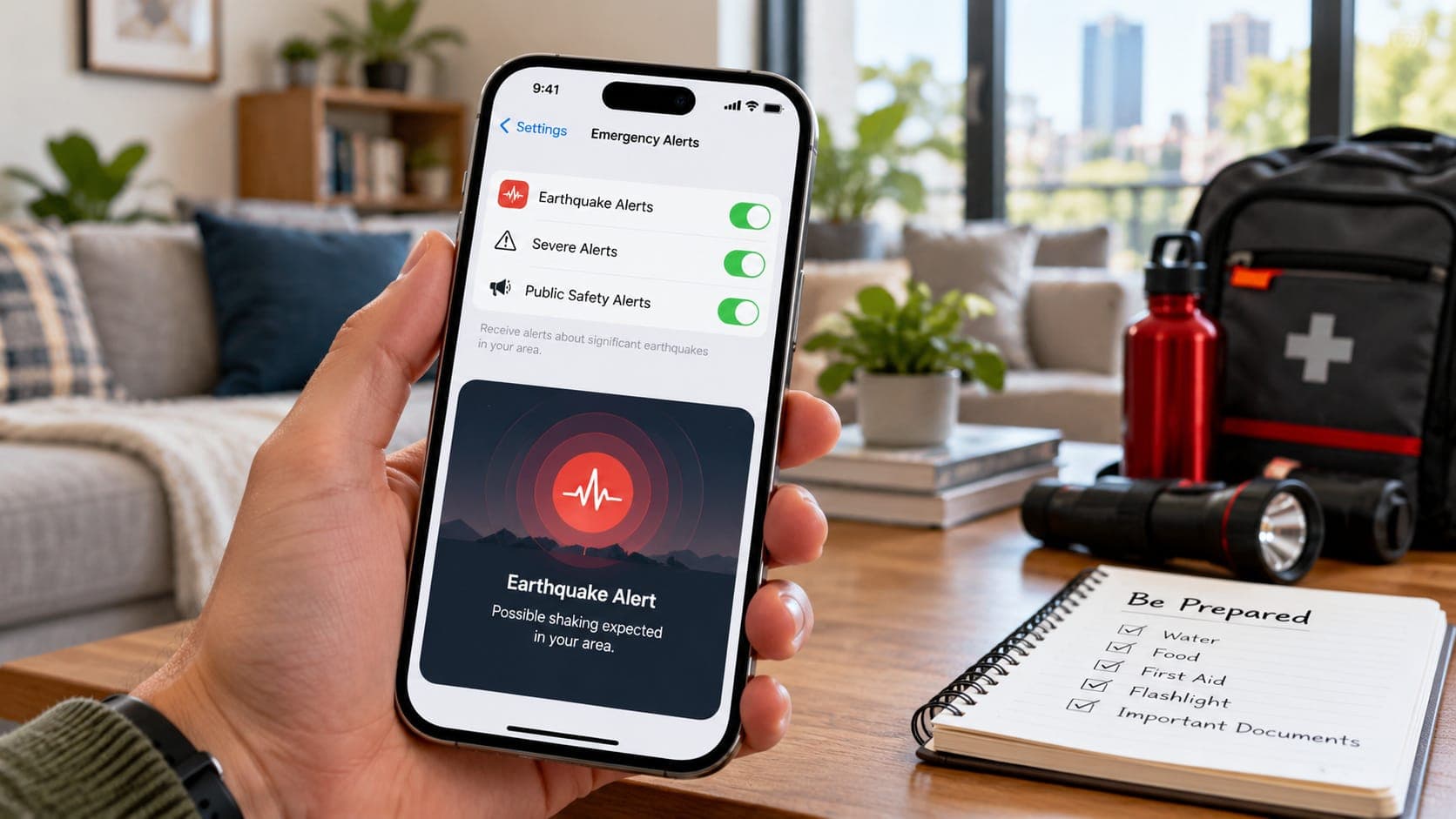
Many people assume their iPhone has a built-in earthquake detector they can switch on. It does not work that way. Unlike many Android phones, iPhones do not have a built-in system that uses the phone's own motion sensors to detect earthquakes for alerts. Instead, iPhone users rely on government emergency alerts and on apps.
The good news is that setting these up takes only a few minutes. This guide walks through the steps and explains what each option does.
Quick answer
To get earthquake alerts on an iPhone in the United States, open Settings, go to Notifications and make sure the Government Alerts options, such as Emergency Alerts, are turned on. On the U.S. West Coast this lets you receive ShakeAlert-powered Wireless Emergency Alerts for larger expected shaking. Add the free MyShake app for alerts at lower shaking levels in California, Oregon and Washington. Menu names may vary by iOS version and country.
What your iPhone can and cannot do
An iPhone can receive Wireless Emergency Alerts (WEA) sent by authorized government agencies through mobile carriers. On the U.S. West Coast, ShakeAlert, the USGS-operated early warning system, uses WEA to warn people when larger shaking is expected. An iPhone can also run earthquake apps that send their own notifications.
What it does not have is a switch that turns the phone itself into an earthquake sensor for alerts. If you read instructions online telling you to enable such a setting on an iPhone, they are likely mixing up iPhone and Android.
Remember that these are two different kinds of alert. An early warning arrives seconds before shaking. A notification of a reported earthquake arrives minutes after. Our article on earthquake alerts on your phone explains the difference.
Step 1: Turn on government emergency alerts
These steps reflect recent versions of iOS in the United States. Apple sometimes renames or moves settings, and options differ by country and carrier, so look for similar wording if your screen does not match exactly.
- Open the Settings app.
- Tap Notifications.
- Scroll to the bottom to find the Government Alerts section.
- Make sure Emergency Alerts is turned on. Turn on Public Safety Alerts too if you want broader local safety messages.
- If your phone offers a test alerts option and you want to see drills, you can turn that on as well.
- Keep your iOS up to date, since updates can change or add alert options.
Step 2: Install MyShake on the West Coast
Wireless Emergency Alerts for earthquakes are used only for larger expected shaking. The free MyShake app, developed at UC Berkeley with support from the state of California, delivers ShakeAlert-powered alerts at lower shaking levels too. It is available in California, Oregon and Washington.
- Download MyShake from the App Store.
- Allow notifications when the app asks.
- Allow location access. Choosing Always, if offered, lets alerts match where you are even when the app is closed.
- Check the app's settings to review which alerts you receive.
Step 3 (optional): Add notifications of reported earthquakes
If you want to know about earthquakes after they happen, for example near family or in places you visit, set up the free USGS Earthquake Notification Service, which sends email for regions and magnitudes you choose. Your iPhone Mail app will show these like any other email.
You can also check recent activity in a browser. EQRadar's live map shows USGS-reported earthquakes, and its alerts page shows in-app notices for places you save, but only while the page is open. EQRadar does not send push notifications, texts or emails.
Outside the U.S. West Coast
Elsewhere in the United States, ShakeAlert is not available, so emergency alerts will not provide earthquake early warning, although they remain important for other hazards, including tsunami warnings on coasts. USGS email notifications work everywhere.
Outside the United States, check your national system. Japan's Meteorological Agency issues Earthquake Early Warnings that reach iPhones through the country's emergency alert system, and Mexico's SASMEX provides public alerts. Other countries have their own arrangements, and some offer official apps. Your national emergency or seismic agency is the best source for what works on iPhone where you live.
Make sure alerts can reach you
A few common settings can block or delay alerts.
- Low Power Mode and Focus modes can affect how app notifications are delivered. Check that your alert apps are allowed to notify you.
- If you deny location access, apps cannot tell how close you are to an earthquake.
- After switching carriers or restoring a new phone, recheck the Government Alerts settings.
- Turning off Emergency Alerts means you will not receive ShakeAlert warnings through WEA.
When an alert arrives
Do not unlock your phone to read the message. Drop, Cover and Hold On right away, and stay down until the shaking stops. Close to the epicenter, an alert may arrive late or not at all, so if you feel strong shaking, take cover without waiting for your phone.
Frequently asked questions
Does iPhone have built-in earthquake alerts like Android?
No. Android phones can use their motion sensors in Google's Android Earthquake Alerts System. iPhones do not have an equivalent built-in system, but they receive government emergency alerts and can run apps like MyShake.
Why didn't my iPhone alert me during an earthquake I felt?
Common reasons include being close to the epicenter, expected shaking below the alert threshold for WEA, emergency alerts being turned off, or being outside an area with early warning.
Can I get ShakeAlert on my Apple Watch?
Notification behavior on a paired watch depends on your iPhone and watch settings and may change over time. Check Apple's current documentation and your app's notification settings rather than assuming alerts will appear on the watch.
Do I need MyShake if Emergency Alerts are on?
Not strictly, but it helps. Emergency Alerts are used only for larger expected shaking, while MyShake can also alert you to lighter shaking in California, Oregon and Washington.
Key takeaway
iPhones do not have a built-in earthquake detection switch. Turn on government Emergency Alerts in Settings, add MyShake if you live in California, Oregon or Washington, and check your national alert system if you live elsewhere. When an alert arrives, take cover first and read later.
Sources
- Wireless Emergency Alerts (WEA) — Federal Communications Commission
- MyShake — UC Berkeley Seismology Lab
- ShakeAlert — ShakeAlert (USGS and partners)
- Earthquake Notification Service — U.S. Geological Survey