Free Earthquake Alert App: What to Look For
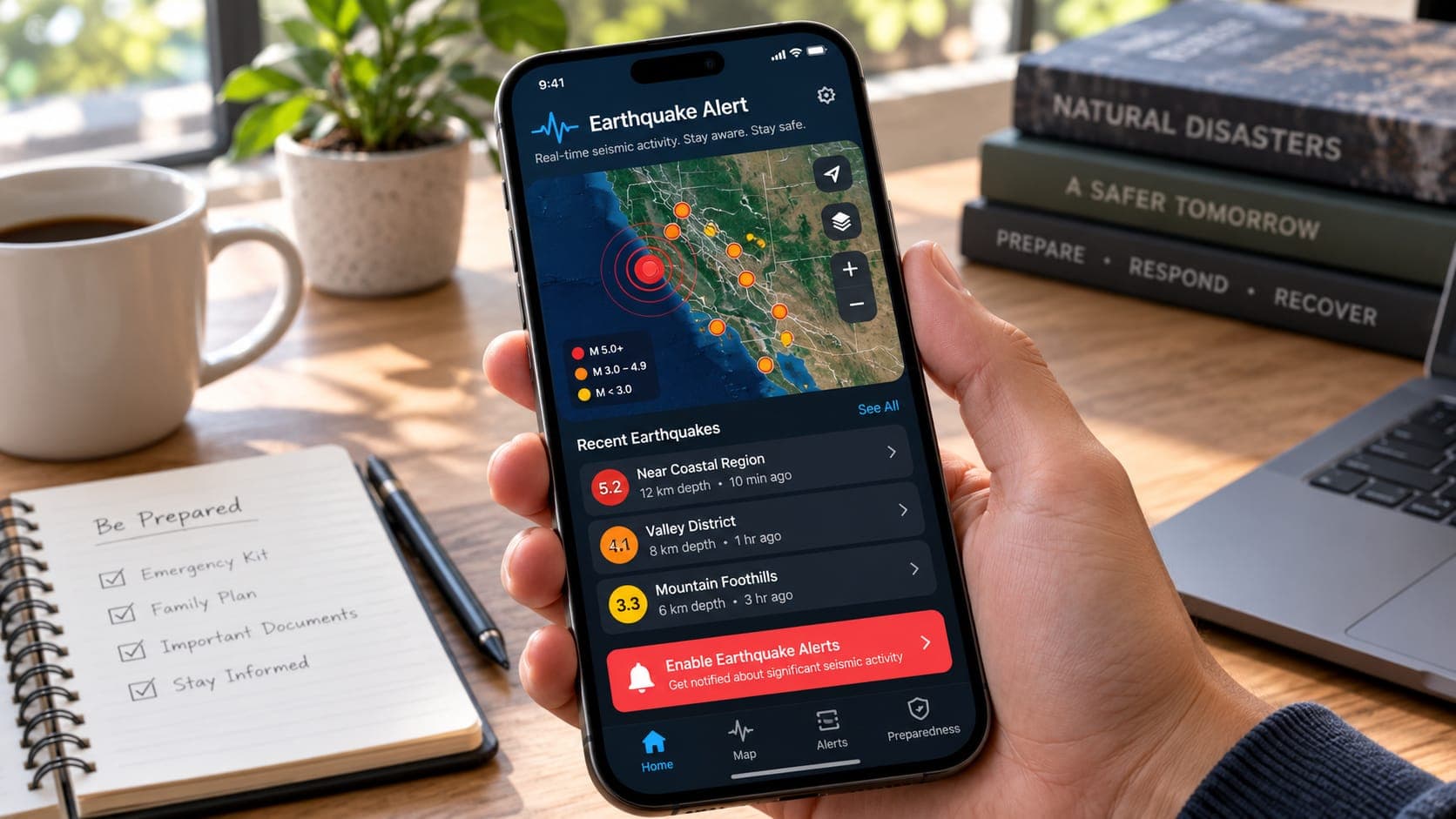
App stores list many earthquake apps, and most are free. Some pass along official early warnings. Many show maps and lists of reported earthquakes. A few make claims that no app can honestly make. Reading the description carefully can save you from relying on the wrong tool when it matters.
Instead of ranking apps, this article gives you a checklist you can use on any app, today or after the next update. The questions apply whether you are choosing an app for yourself or helping a relative set up a phone.
Quick answer
A good free earthquake alert app clearly names its data source (such as the USGS, ShakeAlert or a national agency), says exactly where it works, and is honest about whether it gives early warning before shaking or notifications after an earthquake is reported. It should let you set sensible thresholds, explain delays and updates, ask only for the permissions it needs and never claim to predict earthquakes.
1. Where does the data come from?
An app is only as good as its data. Trustworthy apps say where their information comes from, usually in the description, an About screen or a data sources page. Look for official networks such as the U.S. Geological Survey, ShakeAlert, the European-Mediterranean Seismological Centre (EMSC), Japan's Meteorological Agency or your national seismic agency.
Be cautious if an app gives no source at all, or uses vague phrases like proprietary sensors with no explanation. That does not prove the app is bad, but it leaves you unable to judge it. EQRadar, for example, lists its feeds on its data sources page.
2. Early warning or notification after the fact?
This is the most important question. An early warning app alerts you seconds before shaking arrives, and it can only do that by connecting to a real-time detection system. On the U.S. West Coast, apps that are official ShakeAlert delivery partners can do this. Elsewhere, it depends on local systems.
Most earthquake apps instead send notifications of reported earthquakes. These are useful but arrive after the event, typically minutes later. A good app makes this clear. A poor one uses words like warning or instant in a way that suggests protection it cannot give. For a full explanation of the difference, see earthquake alert on phone.
3. Does it cover where you actually are?
Coverage has two parts. First, the region: an app built around ShakeAlert gives early warning only in California, Oregon and Washington. Second, the detail: global data sources report large earthquakes everywhere, but small earthquakes are recorded well only where local networks are dense. An app showing few small quakes in your country may simply lack local data.
4. Can you control what you are alerted about?
Too many alerts quickly become noise, and people start ignoring them. Look for an app that lets you choose a minimum Magnitude, a distance or area around your location or saved places, and quiet hours for minor events.
Early warning apps work a little differently. Their thresholds are usually based on expected shaking at your location, and the operator sets them. A good app explains, in plain words, roughly what level of shaking triggers an alert.
5. What permissions does it need?
Early warning apps need your location to work properly, often in the background, because the alert depends on how far you are from the earthquake. Apps that only show reported earthquakes may need location just to center the map. Check the privacy policy for what is collected, whether it is shared or sold, and whether you can use the app with approximate location.
- Background location: reasonable for an early warning app; questionable for a simple list of quakes.
- Contacts, microphone or camera: rarely needed for earthquake alerts. Ask why.
- Notification access: needed for alerts, and you should be able to fine-tune it.
- Battery: well-built apps use little power. If your battery drains noticeably, check the app's settings or try another.
6. Is it honest about delays and changes?
Every earthquake report starts as an automatic estimate. Magnitude and location often change in the first hours as seismologists review the data, and some events are deleted if they turn out to be errors. A trustworthy app updates its entries, shows whether an event is automatic or reviewed and does not treat the first number as final. You can learn more about review status on our event updates page.
Look for clear wording about timing, too. Phrases like may arrive after shaking or not available near the epicenter are signs of an honest app, not a weak one.
Red flags to watch for
Some warning signs suggest an app is not worth your trust, regardless of its rating.
- Claims to predict earthquakes hours or days ahead. No one can do this reliably.
- Claims of early warning in regions where no warning system operates, with no explanation of how.
- No named data source and no way to contact the developer.
- Frightening language or constant alerts for tiny, distant quakes, especially alongside heavy advertising.
- Requests for permissions unrelated to earthquakes.
A quick checklist
Use this table when you compare apps. An app does not need every feature, but it should give clear answers.
| Question | Good sign | Warning sign |
|---|---|---|
| Data source | Names USGS, ShakeAlert, EMSC or a national agency | No source given |
| Alert type | Clearly says early warning or post-event notification | Vague words like instant or predictive |
| Coverage | States the regions it covers | Implies global early warning |
| Settings | Magnitude, area and quiet-hour controls | All or nothing |
| Privacy | Explains why it needs location | Asks for unrelated permissions |
| Updates | Shows revised magnitudes and review status | Never changes the first number |
Frequently asked questions
Are free earthquake apps less reliable than paid ones?
Not necessarily. Many of the most important tools, including official early warning apps and government alert services, are free. Price tells you little. The data source and honesty about limits tell you much more.
Can I use more than one earthquake app?
Yes, and it often makes sense to combine an early warning app with an app or email service for reported earthquakes. Just turn off duplicate notifications so you are not overwhelmed.
Why does my app show a different magnitude from the news?
Different agencies calculate magnitude in slightly different ways, and early numbers are often revised. Check which source each one uses and whether the event has been reviewed.
Key takeaway
Judge an earthquake app by its data source, its honesty about whether it warns before shaking or notifies after, its coverage, and how it handles your privacy. Be wary of any app that claims to predict earthquakes.
Sources
- ShakeAlert — ShakeAlert (USGS and partners)
- Earthquake Early Warning Overview — U.S. Geological Survey
- Latest Earthquakes — U.S. Geological Survey
- European-Mediterranean Seismological Centre — EMSC